Instant Access
Your Roostino account opens in one step: email plus password, from any browser, on any device, in seconds.
Everything About the Login at Roostino
Access your account in seconds from any browser on desktop or mobile.
Login Security Tips
What You Should Do
What You Should Avoid
Your Account, Secured
Instant Access
Your Roostino account opens in one step: email plus password, from any browser, on any device, in seconds.
Two-Factor Authentication
Enable 2FA in your account security settings for an extra layer of protection on every sign-in.
Mobile Browser Login
The full Roostino site loads in Safari or Chrome on any smartphone without an app download. Your credentials are identical across desktop and mobile.
Roostino uses a single standard sign-in method: your registered email address combined with your chosen password. There is no separate social-login option or phone-number login. Because your credentials are the same whether you access the site on a Windows desktop, a Mac, an Android device, or an iPhone, you only ever need to remember one set of details. Players who have enabled two-factor authentication will be prompted for a verification code after entering their password; the code is delivered to the email address on the account.
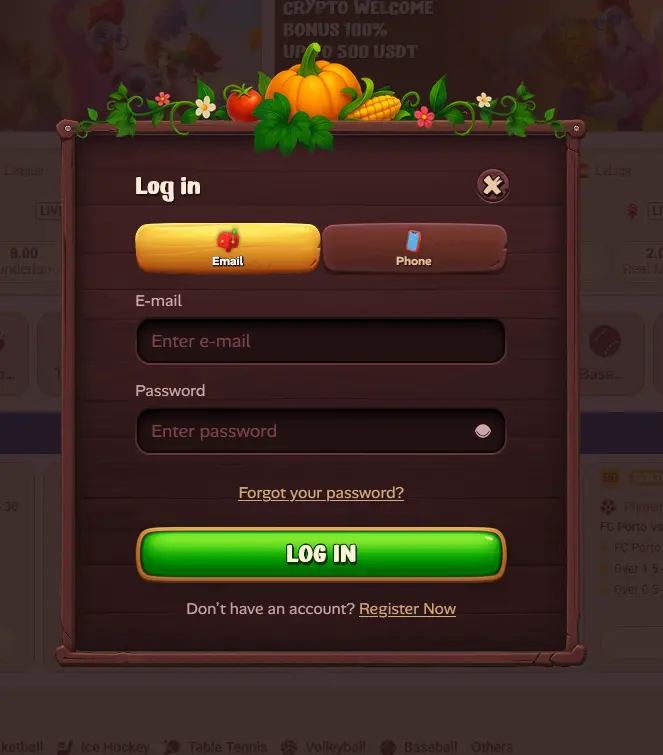
Signing in to Roostino takes fewer than thirty seconds under normal network conditions.
Open your preferred browser and go to roostinocasino-au.com. Click the “Log In” button in the top-right corner of the homepage. Enter your registered email address in the first field, then your password in the second field. Click “Sign In.” If two-factor authentication is active on your account, enter the verification code from your email when prompted. The game lobby loads immediately upon successful authentication.
Open Safari (iOS) or Chrome (Android) and navigate to roostinocasino-au.com. The site detects your screen size and delivers the mobile-optimised layout automatically. Tap “Log In,” enter your email and password exactly as registered, then tap “Sign In.” For faster future access, follow the prompt to add a PWA shortcut to your home screen, which opens Roostino in a dedicated full-screen window without the browser toolbar.
Roostino does not offer a native application through the App Store or Google Play. The PWA shortcut saved to your home screen functions as the app experience: it loads the full casino in an app-like interface and can be accessed with one tap. Your login details are identical to those used in the browser.
Several issues can block a successful sign-in, and most are straightforward to resolve without contacting support.
If your password is not working, the most common cause is a difference in capitalisation or an accidentally entered space at the start or end of the field. Use the password visibility toggle to confirm what you are typing. If the password is genuinely forgotten, the “Forgot Password” link on the login screen sends a reset email to your registered address within a few minutes.
If your account shows as suspended or restricted, it may be pending KYC verification. Roostino requires identity documents (an Australian driver’s licence or passport) and a proof of address (a utility bill or bank statement) before the first withdrawal can be processed. Uploading these documents through the verification section of your account usually resolves the restriction within one business day.
If you see a geographic access message, confirm that you are connecting from Australia. Some VPN exit nodes may trigger regional filters; disconnecting from the VPN and connecting directly generally resolves this.
For any issue not resolved by the steps above, live chat is available 24/7 and is the fastest way to restore account access. You can also email [email protected] with your username and a description of the error.
Account security at Roostino rests on SSL encryption for all data in transit, strict password-hashing practices on the server side, and the optional two-factor authentication layer available to all players. Every session is tokenised, meaning logging out on one device does not affect active sessions on others and vice versa.
Roostino’s security team monitors accounts for unusual login patterns, such as sign-ins from new countries or rapid successive failed attempts. Suspected unauthorised access triggers an automatic account lock and an alert to the registered email address. If you receive such an alert without having attempted to log in, contact live chat immediately and change your password from a trusted device.
For additional protection, use a unique password for your Roostino account that is not shared with any other online service, and consider a password manager to keep it secure without the risk of forgetting it.
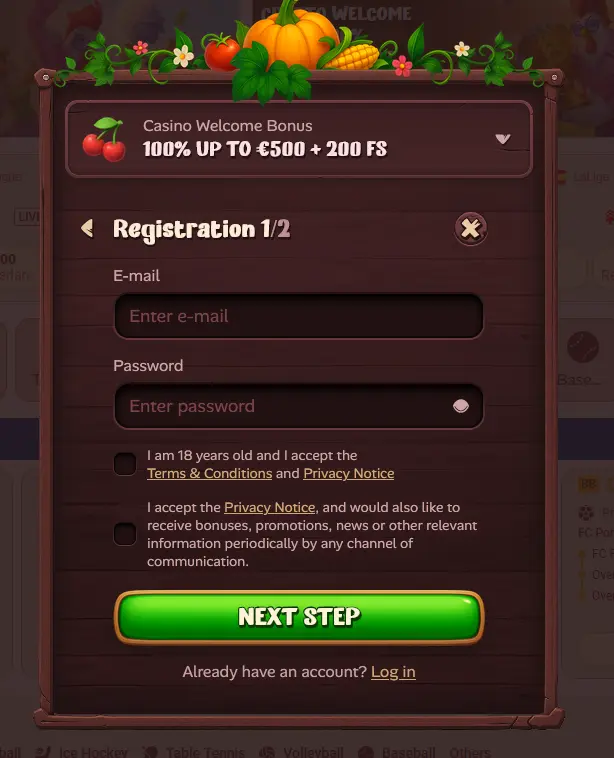
Registration is open to Australian residents aged 18 and over. Creating an account takes approximately three to five minutes: you provide your full name, date of birth, residential address, email, and a chosen password. Email verification completes the sign-up process, after which you can deposit in AUD and claim the 150% welcome bonus using promo code ROOST150. No account means no access to the game library, bonuses, or AUD cashier, so registration is the essential first step for any new player.
Login Questions Answered
Click the 'Forgot Password' link on the login page, enter the email address registered to your account, and follow the reset link sent to your inbox. If the email does not arrive within a few minutes, check your spam folder or contact [email protected].
Yes. Open Safari on your iPhone, navigate to roostinocasino-au.com, and sign in with your usual email and password. You can also add a PWA shortcut to your home screen for one-tap access without opening the browser.
After multiple incorrect password entries, Roostino locks the account as a security measure. Use the password reset link or contact live chat support, available 24/7, to have the lock reviewed and lifted.
No. Roostino's terms permit only one account per player. Holding duplicate accounts is grounds for account suspension and forfeiture of any bonus funds accumulated.
Not Signed In Yet? Log In Now
Take 150% up to $1,500 and 10 free spins on your first deposit.
Join the Fun 18+ only. Gambling may lead to addiction. Bonus terms apply to every offer.